
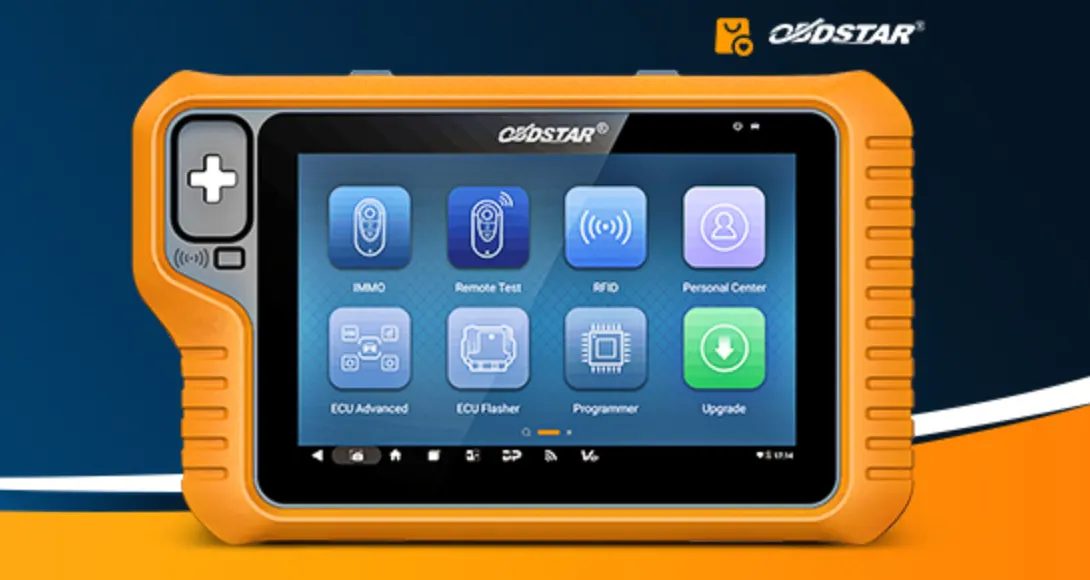
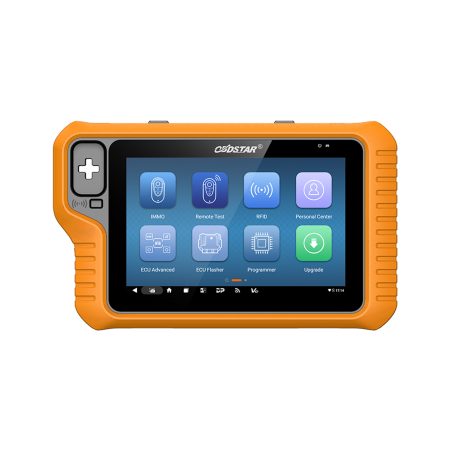
Modern Porsche vehicles, including the Cayenne (2018–2023), are equipped with sophisticated battery management systems that require proper registration whenever the battery is replaced. Without this registration, the vehicle's energy management system may not function optimally, leading to premature battery wear, warning lights, or even electrical gremlins. Fortunately, the OBDSTAR X300 Classic G3 offers a straightforward solution. With its updated battery programming functionality under the ECU Advanced menu, you can easily register a new battery on these models via the OBD port. This guide walks you through the entire process step by step.
Why Battery Registration Matters
On the Porsche Cayenne (2018–2023), the battery is not just a simple power source. The vehicle's onboard computer monitors battery age, state of charge, temperature, and capacity to adjust charging rates and energy consumption. When you install a new battery without updating these parameters, the system still treats it as the old, degraded unit. This can result in overcharging or undercharging, reduced battery life, and even error messages on the dashboard. Proper programming ensures that the vehicle adapts to the new battery's specifications, prolonging its lifespan and maintaining electrical system stability.
What You Will Need
Before you begin, make sure you have the following:
- OBDSTAR X300 Classic G3 – with the latest software installed
- OBD II cable – to connect the device to the vehicle
- Software version V30.00 or newer – battery programming for the Cayenne 2018–2023 is supported only from this version onward
- New battery information – including capacity (Ah) and serial number, which you'll need to enter during the process
- Stable internet connection – for the device to verify software updates if needed
Step-by-Step Programming Guide
Step 1: Prepare the Vehicle
Turn off the ignition and ensure all electrical accessories (lights, radio, air conditioning) are switched off. Connect the new battery securely, making sure the terminals are tight and clean. Have the new battery's specifications handy – you will need to enter its capacity (in Ah) and serial number later.
Step 2: Connect the OBDSTAR X300 Classic G3
Plug the OBD II cable into the vehicle's diagnostic port (located under the dashboard on the driver's side) and connect the other end to your X300 Classic G3. Power on the device and wait for it to boot up completely.
Step 3: Navigate to the Battery Programming Function
From the main menu, follow this path exactly:
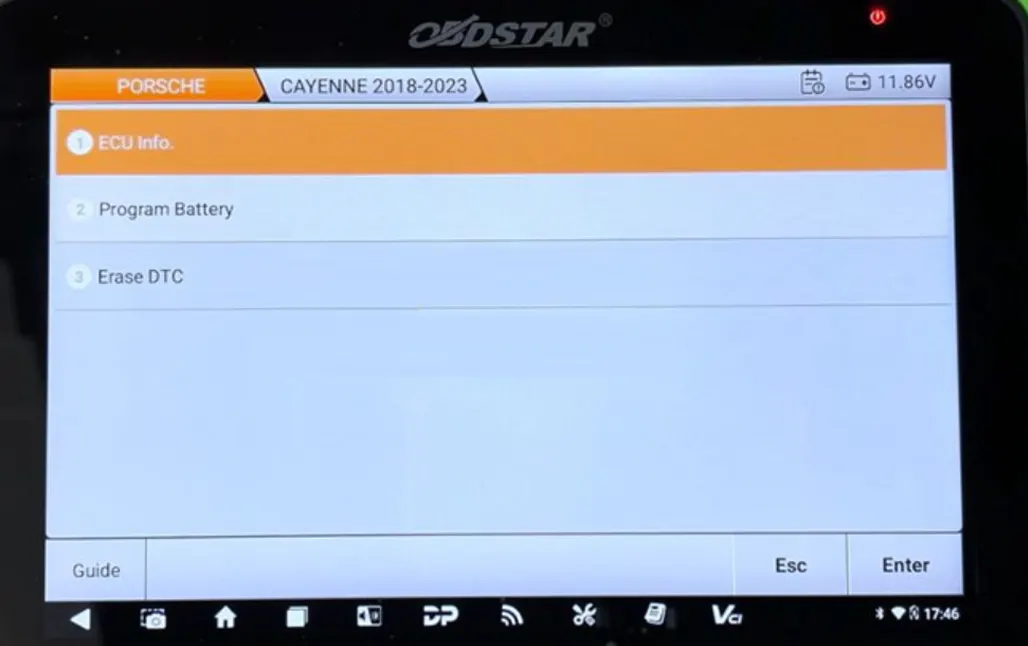
ECU Advanced → PORSCHE → PORSCHE V30.00 → BATTERY → CAYENNE 2018-2023
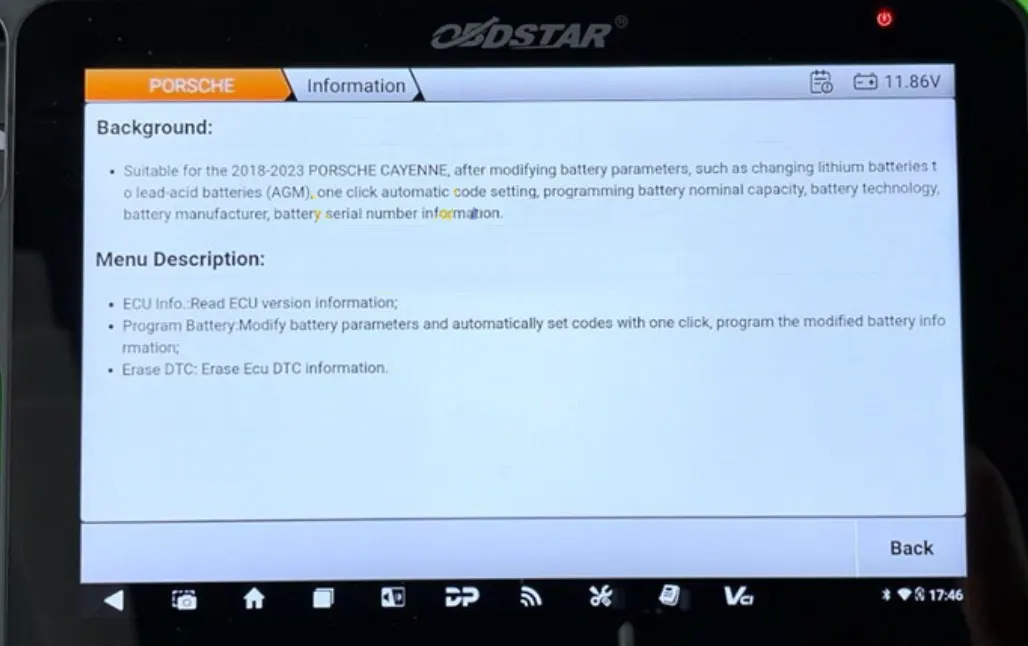
If you are unsure about any menu option, you can tap the [Guide] button on the screen to view background information and menu descriptions. This is especially helpful if this is your first time using the function.
Step 4: Read ECU Information (Optional but Recommended)
Before making any changes, it is good practice to select ECU Info to read the current version information of the vehicle's ECU. This confirms that the device is communicating properly with the car and gives you a baseline in case something goes wrong.
Step 5: Program the New Battery
Select Program Battery from the function list. The device will then guide you through modifying the battery parameters. You will be prompted to enter the new battery's capacity and serial number.
- Battery capacity – enter the ampere-hour (Ah) rating of your new battery. This is usually printed on the battery label.
- Serial number – input the unique serial number of the new battery. This helps the vehicle's system distinguish it from the old one.
Double-check that all information is correct before proceeding. Once you have entered the details, tap [OK] to initiate the one-click automatic code setting. The device will communicate with the ECU and update the battery information in a matter of seconds.
Step 6: Erase Diagnostic Trouble Codes (DTCs)
After successfully programming the battery, it is wise to clear any existing fault codes. Select Erase DTC from the menu. This will clear any error codes that may have been stored in the ECU, ensuring that no warning lights remain on the dashboard due to the battery replacement.
Step 7: Verify the Programming
Turn off the ignition, wait a few seconds, and then restart the vehicle. Check that no battery-related warning messages appear on the instrument cluster. If everything is clear, the programming was successful. You can also reconnect the X300 Classic G3 and re-read the ECU information to confirm that the new battery parameters have been stored.
Tips for a Smooth Process
- Keep the vehicle's ignition in the "ON" position (engine off) during the entire procedure. Some steps may require the ignition to be on for proper communication.
- Ensure a stable 12V supply – if the vehicle's battery is low, consider using a battery maintainer to avoid interruptions during programming.
- Use the correct battery specifications – entering the wrong capacity or serial number can cause the system to miscalculate charging parameters. Always refer to the new battery's label or datasheet.
- Update your X300 Classic G3 regularly – Porsche frequently updates their software protocols. Keeping your device's firmware and software up to date ensures compatibility with the latest vehicle models.
Troubleshooting Common Issues
Device cannot communicate with the vehicle: Check the OBD connection and ensure the ignition is on. Also, verify that your X300 Classic G3 has the correct software version (V30.00 or newer) installed.
Programming fails or times out: This can happen if the vehicle's battery voltage drops too low during the process. Connect a battery charger or maintainer to keep the voltage stable.
Warning lights remain after programming: Double-check that you have erased all DTCs after programming. If the lights persist, there may be an underlying issue with the new battery or the vehicle's electrical system – consult a professional.
Final Thoughts
Battery registration on the Porsche Cayenne (2018–2023) is no longer a dealer-only procedure. With the OBDSTAR X300 Classic G3 and its dedicated battery programming function, you can perform this task quickly and accurately in your own workshop or garage. The one-click automatic code setting simplifies the process, while the ability to modify capacity and serial number gives you full control over the battery parameters. Just remember to use software V30.00 or newer, enter the correct information, and clear any fault codes afterward. By following this guide, you will save time, avoid unnecessary trips to the dealership, and ensure your customer's Cayenne runs smoothly for miles to come.
Recent Comment
Allen
Aug 8, 2026very good.